 Auroyun
One tap to connect
Takes over the whole system, so you don't set up apps one by one. Tap to connect, tap again to disconnect.
TUN · system proxy
Auroyun is a free, simple VPN and proxy client for your own servers or your provider's subscription. One tap to connect, smart routing, the fastest node picked for you, the same on macOS, Windows and Android.
No need to know protocols or rules: open it and go. Fine control is there when you want it.
Takes over the whole system, so you don't set up apps one by one. Tap to connect, tap again to disconnect.
Rule presets out of the box, your own rules on top. In mainland China, Chinese sites go direct; elsewhere everything goes through your node.
Paste a subscription URL or share links: the common formats are recognized, and nodes refresh in one tap.
Proxy groups test their nodes on a schedule and use the quickest; when the current one stops answering, the next test moves to one that works.
The common protocols and transports, ready from a pasted share link, Shadowrocket's format too.
From download to connected in three steps.
On macOS open the .dmg and drag Auroyun into Applications; on Windows run the installer; on Android install the APK. The site picks the right file for your device.
Paste your provider's subscription URL on the Subscriptions page, or share links on the Nodes page.
Pick a node or a proxy group on the home screen and tap Connect. The macOS and Windows apps update themselves.
The desktop and phone apps work the same way. Use the button at the top right to see Auroyun in both modes, and the buttons under the Mac to switch its theme: Aurora or Route.
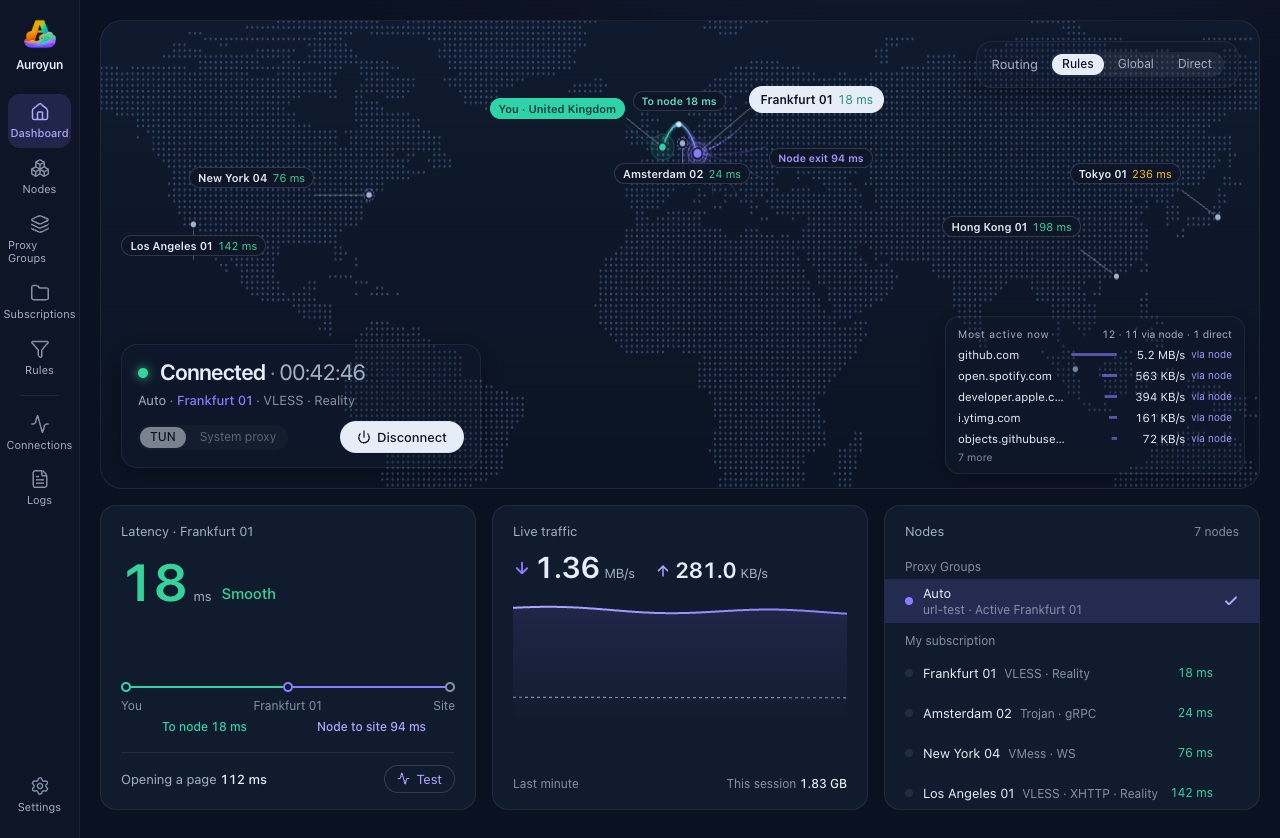
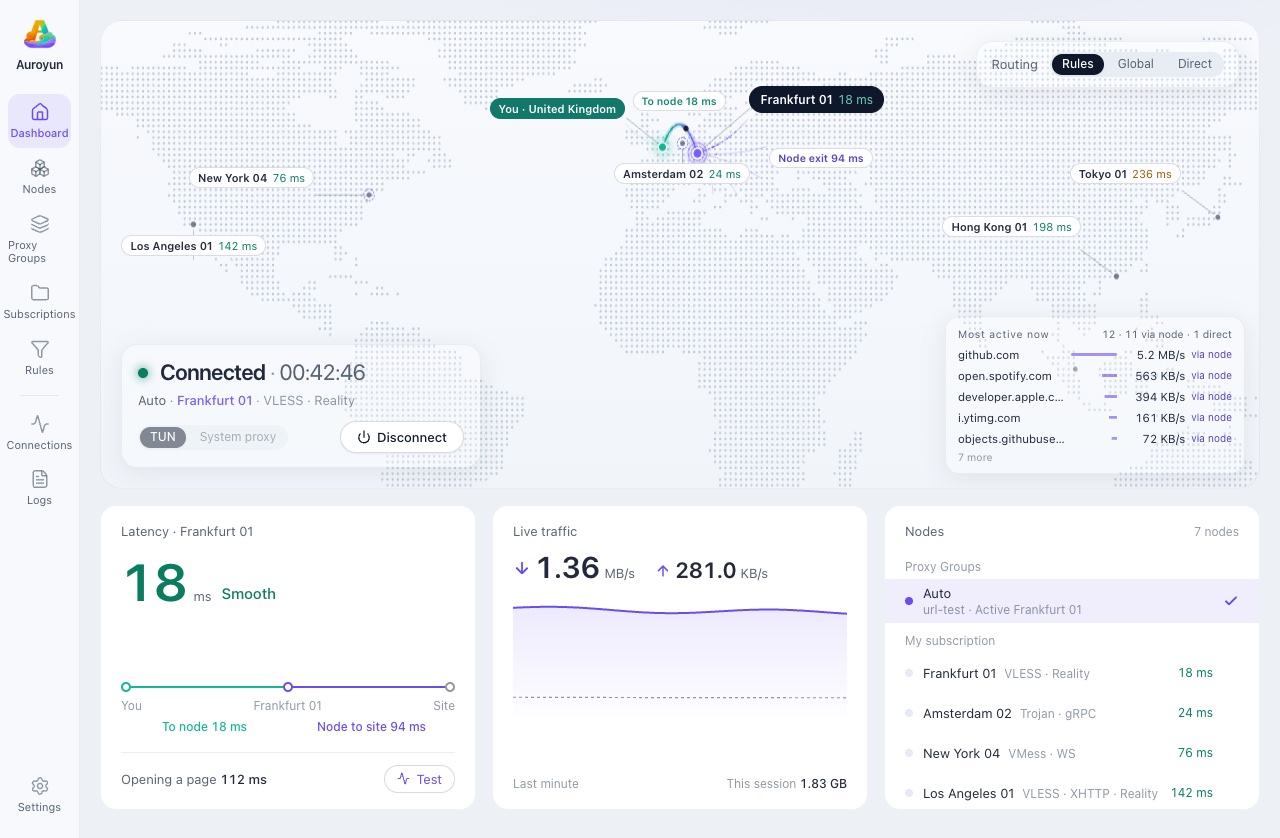
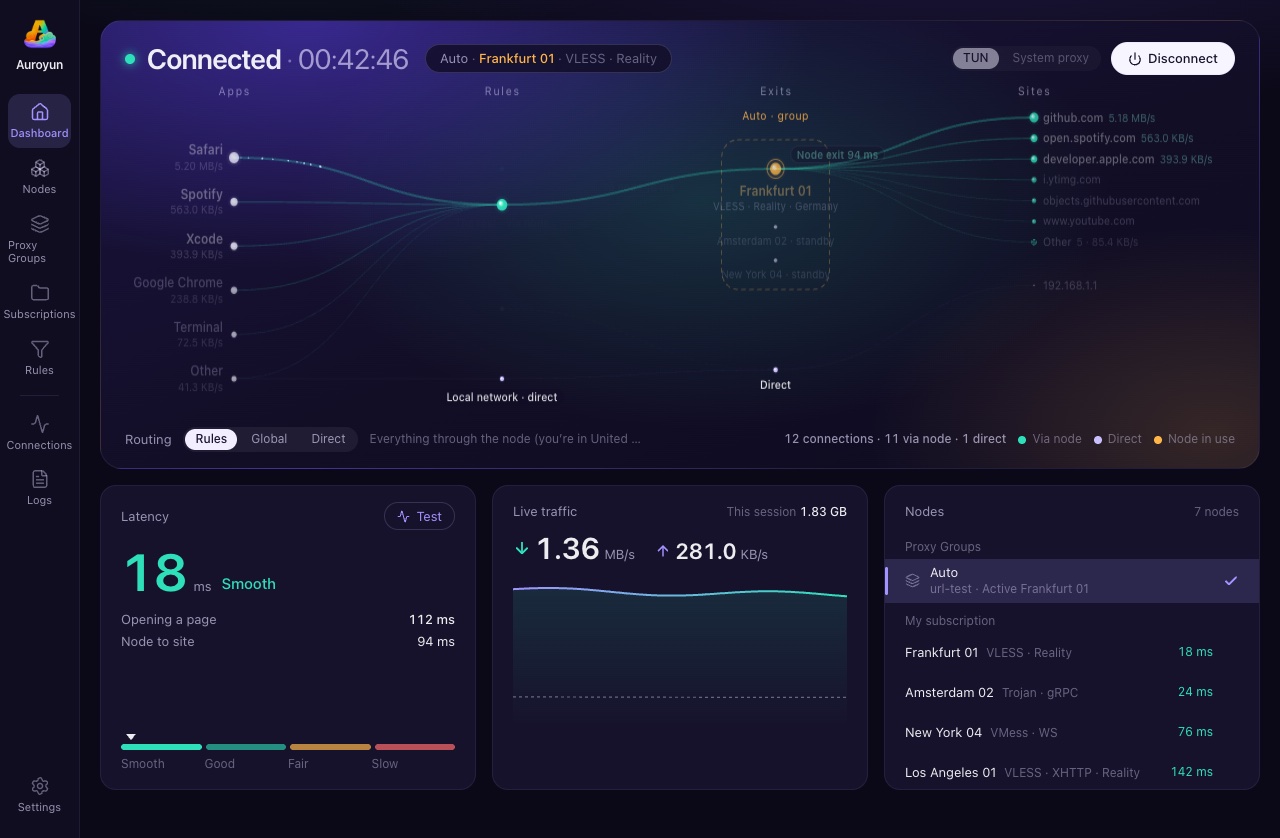
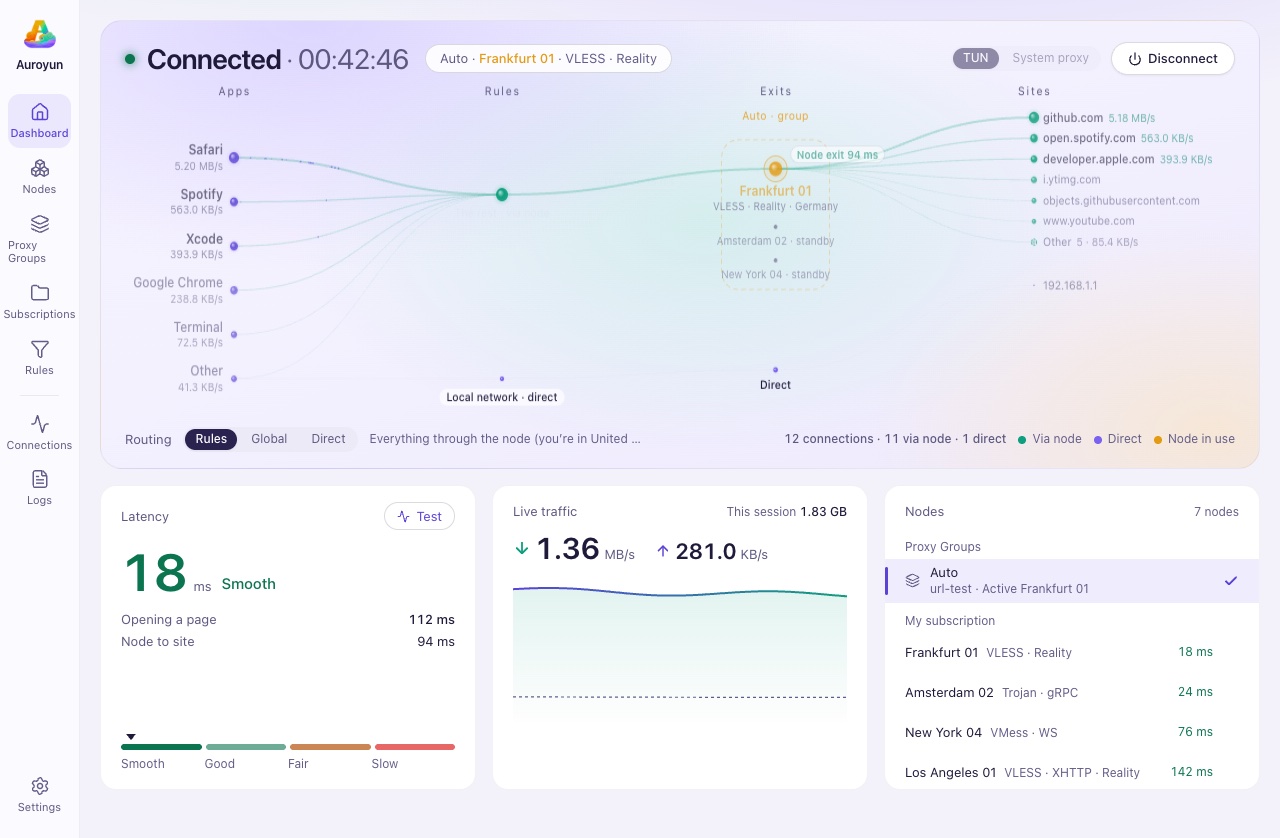
Showing: night mode. Node names, places and latencies are examples.
Auroyun is a free VPN and proxy client for macOS, Windows and Android. It does not sell servers: import the subscription or share links your provider gives you, or your own servers, and connect in one tap.
Yes. Base64 subscriptions, Clash and Clash Meta (mihomo) configs, sing-box and Xray JSON configs, share links and QR codes from v2rayN, Shadowrocket and other clients, and WireGuard .conf files.
Protocols: Shadowsocks (including 2022 ciphers and ShadowTLS), VMess, VLESS (including XTLS Vision), Trojan, Hysteria2, Hysteria, TUIC v5, AnyTLS, WireGuard, SOCKS5 and HTTP. Transports: WebSocket, gRPC, HTTP/2, HTTPUpgrade and XHTTP. Security: TLS, REALITY and ECH. The core is sing-box.
Yes. TUN mode takes over the whole system, so you don't set up apps one by one; or use it as a system proxy. Rule presets come built in and you can add your own: in mainland China, Chinese sites go direct and the rest through your node; elsewhere everything goes through your node by default. Proxy groups pick the fastest node, and nodes can be chained.
macOS 13 or later (Apple silicon and Intel), Windows 10 and 11 (64-bit, installer or portable zip) and Android 8 or later (APK). The macOS and Windows apps update themselves. The apps come in English and Chinese.
It is free, has no ads, needs no account and does not collect your browsing. The Android app is open source under GPL-3.0, its source published with every release.
Free, no ads. Have your subscription URL ready and you're set. If this site does not open, the same files are on the mirror down.auroyun.com (SHA-256 in the changelog).
The beta is not notarized by Apple, so macOS stops it the first time:
The installer is code-signed (publisher HAK PISEY), but Windows may still stop it at first:
The site picks the APK for your phone; most phones are 64-bit ARM. If it won't install, take the universal APK (about 200 MB, installs on every phone, may be a release or two behind). The first time, Android may ask you to let your browser "Install unknown apps".